GET TO KNOW LODGI SIGHT
Your Lodgify data.
Every useful angle.
Explore analytics and reporting tools for Lodgify hosts: track rental performance, find calendar gaps, forecast revenue, and prepare accounting reports in one app.
Explore the features below. Screenshots show a demo portfolio.
WORKSPACE / 01
Overview
Start with the whole picture.
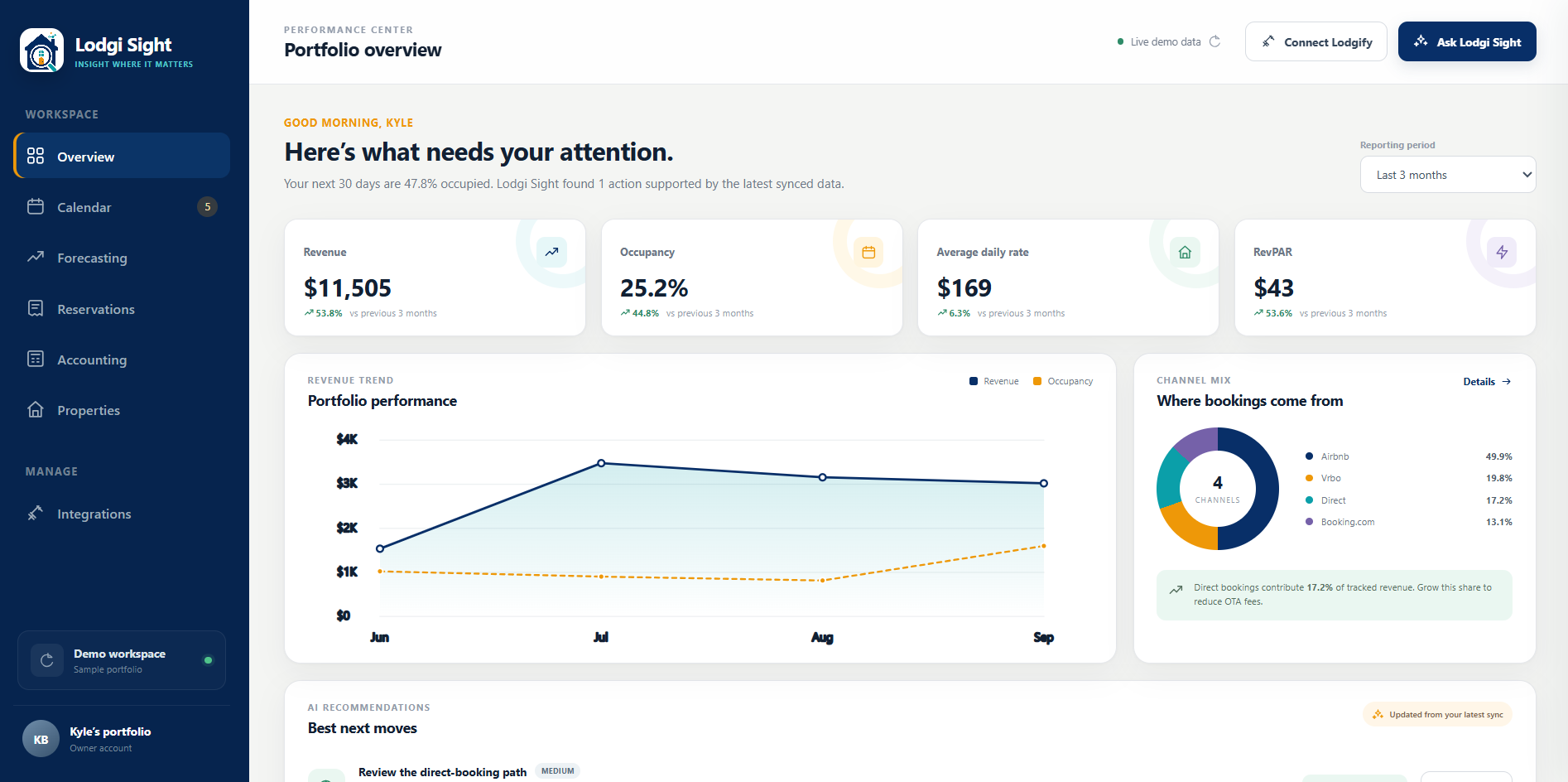
See how your portfolio is performing in one place. Overview brings your core numbers, booking channels, and revenue trends together, then highlights opportunities that deserve your attention.
- Track revenue, occupancy, average daily rate, and revenue per available night (RevPAR).
- Choose a reporting period and compare performance with the previous period.
- See where bookings come from and review suggested next moves.
WORKSPACE / 02
Calendar
Find opportunity between stays.
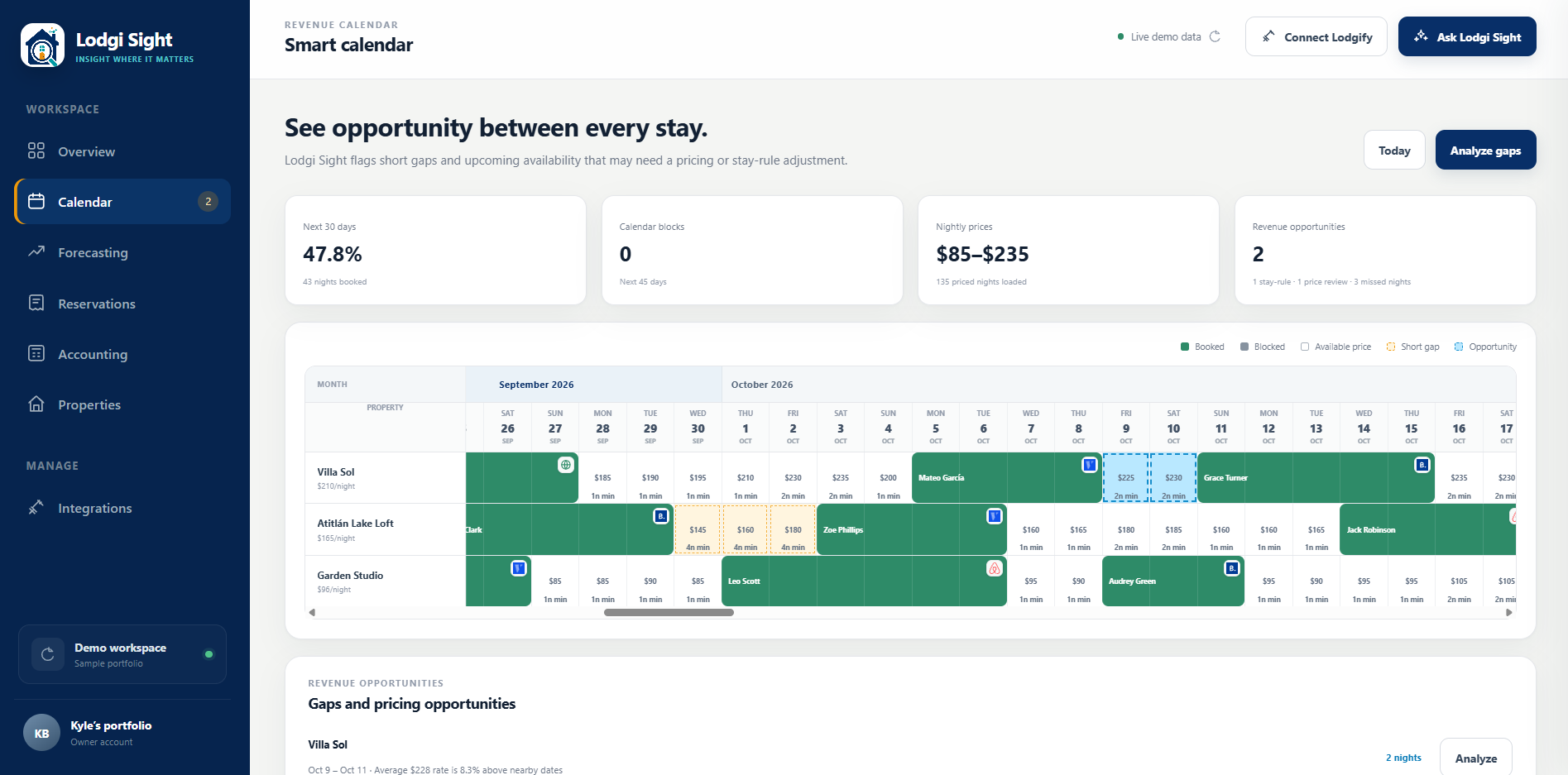
Look across your rentals and see booked stays, blocked dates, and available nights on one calendar. Lodgi Sight flags short gaps so you can decide where a rate or minimum-stay review may help.
- Review reservations alongside nightly prices and minimum-stay requirements.
- Spot short openings between bookings and see the nights available to fill.
- Use Analyze gaps to explore which openings need attention.
WORKSPACE / 03
Forecasting
Understand what may be ahead.
Start with revenue already on the books, then explore the additional bookings your portfolio may receive. Forecasting uses historical booking pace, lead times, occupancy patterns, and cancellations to build a forward outlook.
- Explore the next 6 or 12 months for one rental or the whole portfolio.
- Separate confirmed business from predicted pickup in the monthly outlook.
- Review forecast confidence and the booking history behind the estimate.
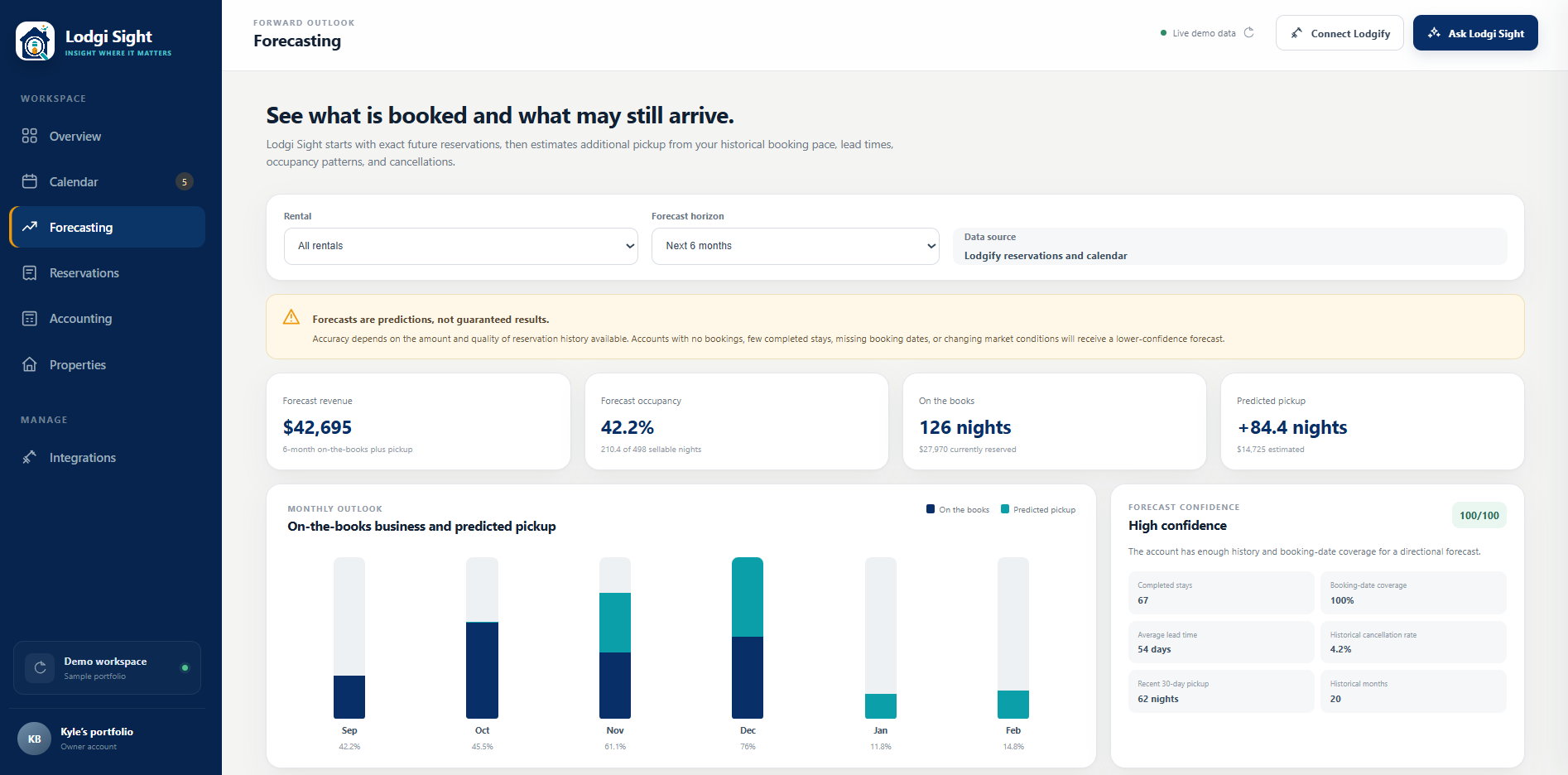
Forecasts are estimates. Their confidence depends on the amount and quality of your reservation history.
WORKSPACE / 04
Reservations
Find the stay you’re looking for.
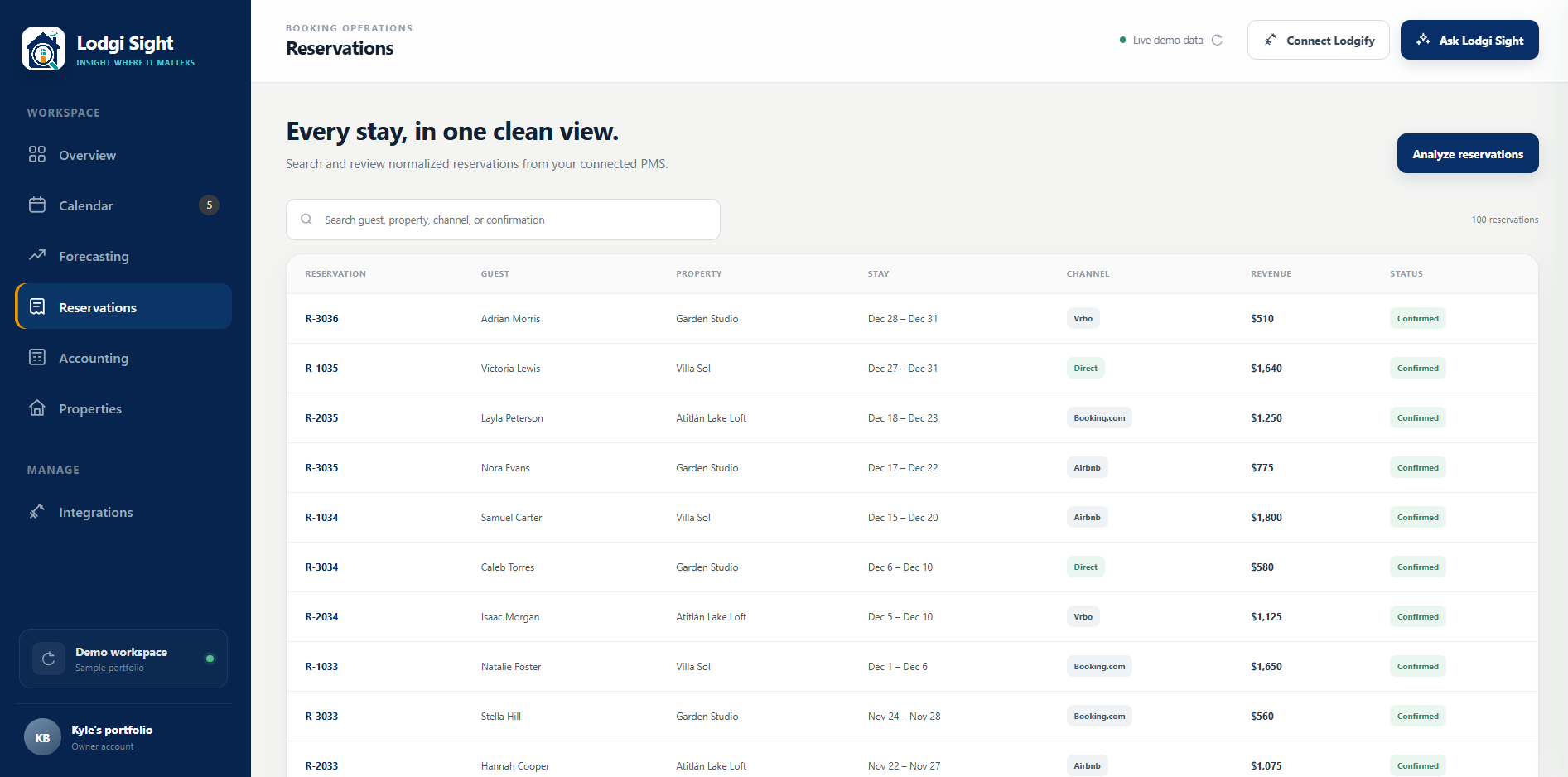
Bring reservations from your connected Lodgify account into a consistent, searchable view. Find a booking quickly and review the details that matter without jumping between separate channel reports.
- Search by guest, property, booking channel, or confirmation.
- See stay dates, booking revenue, channel, and reservation status together.
- Use Analyze reservations to explore portfolio booking patterns and channel mix.
WORKSPACE / 05
Accounting
Turn bookings into clear reports.
Generate reports when you need them or schedule them to run automatically each month. Accounting organizes your reservation totals, estimates payouts, and keeps saved reports available to edit and export as PDF or CSV.
- Choose rentals, booking channels, and check-in or allocated stay dates, with itemized totals kept separate by currency.
- Schedule monthly reports and automatically apply your active deduction presets.
- Reopen saved reports to rename them or revise payout deductions and credits while preserving the original reservation data.
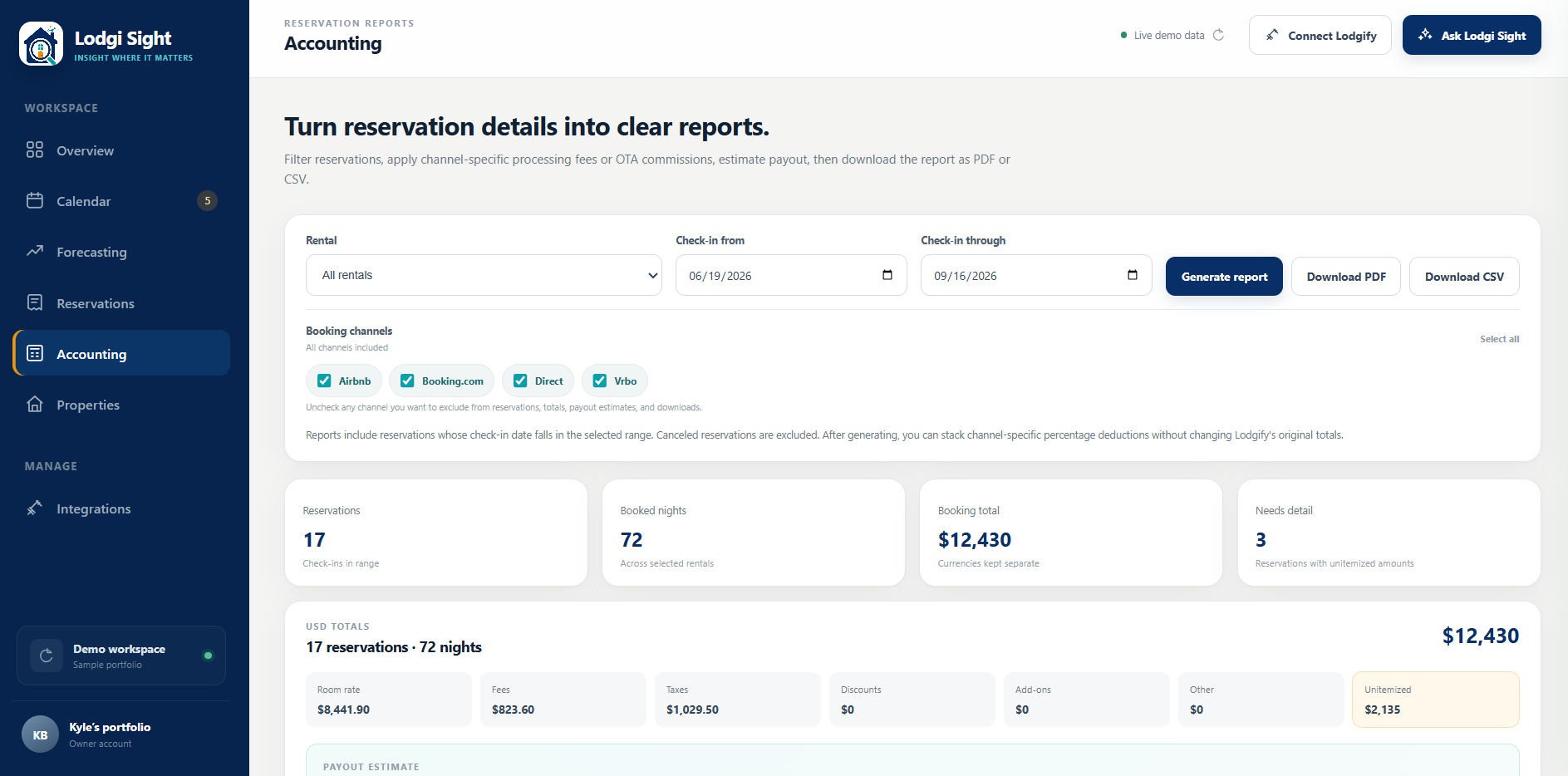
Use check-in dates for whole bookings or stay dates to allocate amounts to nights within your reporting period. Canceled reservations are excluded.
A closer look at your reports
Automate your monthly routine, update saved reports, and export the figures you need.
Schedule monthly reports automatically
Create a recurring schedule for a rental or your whole portfolio, choose the date basis and booking channels, and let Lodgi Sight generate the report each month. Choose the first day of the month for the previous completed month, or the last day for the current month.
Active matching deduction presets are applied automatically, and completed reports appear in Saved reports, ready to review, edit, or download. You can edit, pause, enable, or delete a schedule as your reporting needs change.
Save reports and edit them later
Save a report with a name, then return to it anytime. Open a saved report and choose Edit report to rename it, adjust percentage deductions, or add and remove fixed deductions and credits. Select Save changes to keep your updates.
The original reservation data, Lodgify totals, and generation date stay preserved, with modifications dated separately. To include newer bookings or a different reporting period, generate a new report.
Adjust deductions and credits
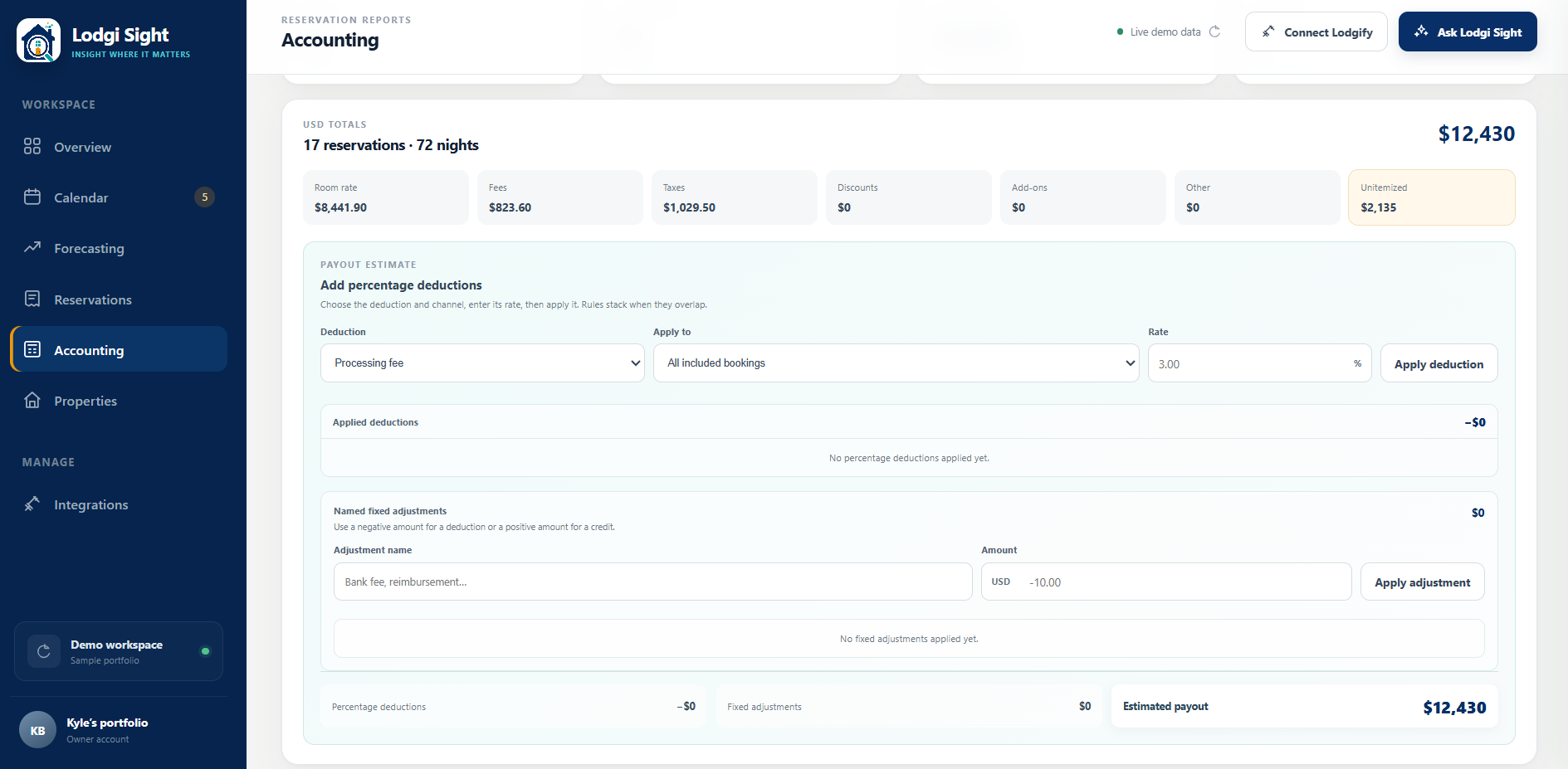
Apply percentage-based processing fees or booking-channel commissions to all included bookings or selected channels. You can stack rules and add named fixed deductions or credits to refine the estimated payout while keeping the original booking totals distinct. Save recurring percentage rules as presets so they apply to future matching reports, including scheduled reports.
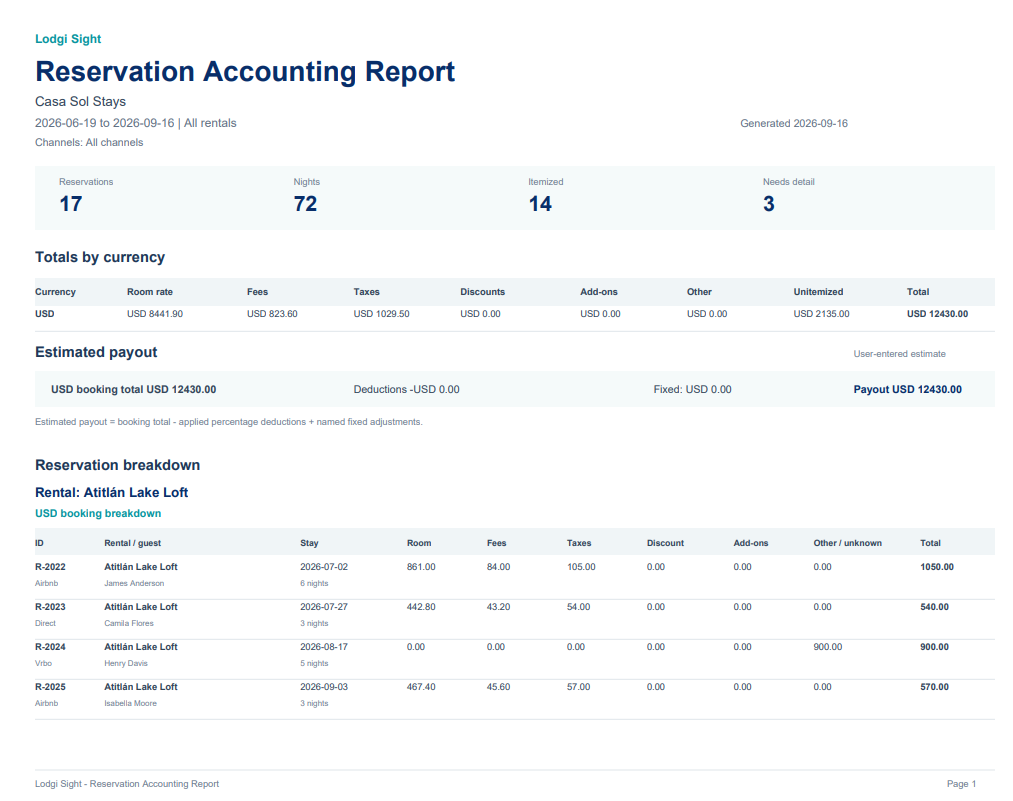
Preview a PDF report
Export a formatted report with currency totals, estimated payouts, and reservation breakdowns grouped by rental. The PDF brings the results together for sharing or printing.
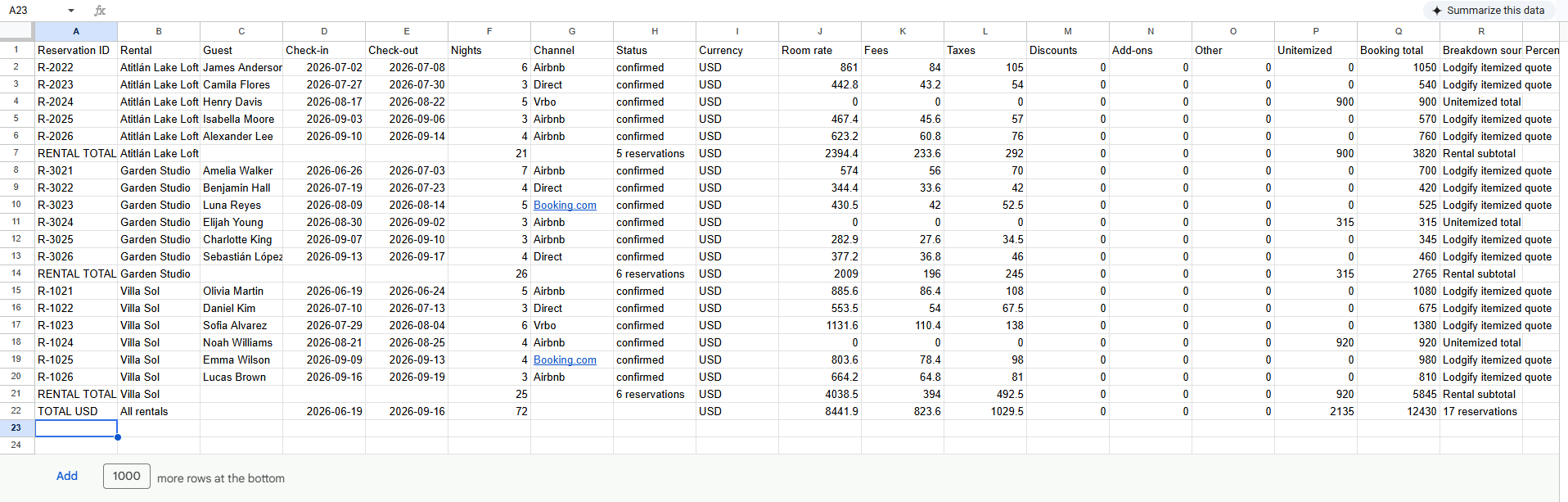
Preview a CSV export
Export reservation rows, rental subtotals, and overall totals to a CSV file. Open it in your spreadsheet software to review the itemized figures and work with them further.
WORKSPACE / 06
Properties
See each rental in context.
Review your rentals side by side, then look at how each one compares with nearby stays. Properties connects your portfolio’s performance with public local-market information to help you make informed pricing decisions.
- View each rental’s revenue, occupancy, average daily rate, and listing health.
- Compare your Lodgify rates with publicly available nearby rental prices.
- Weigh price alongside location, space, guest capacity, amenities, ratings, and visible quality.
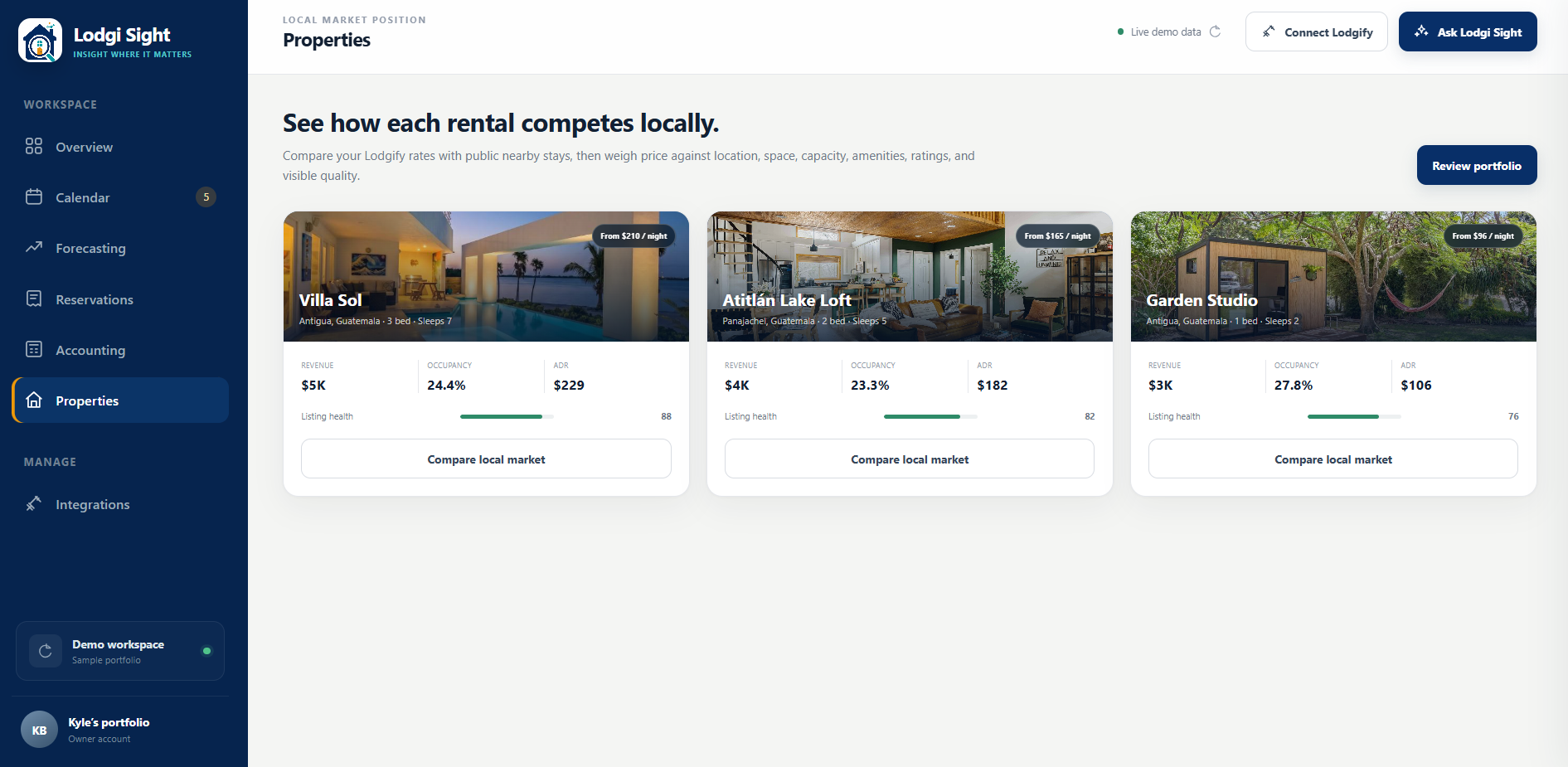
Compare your rental with the local market
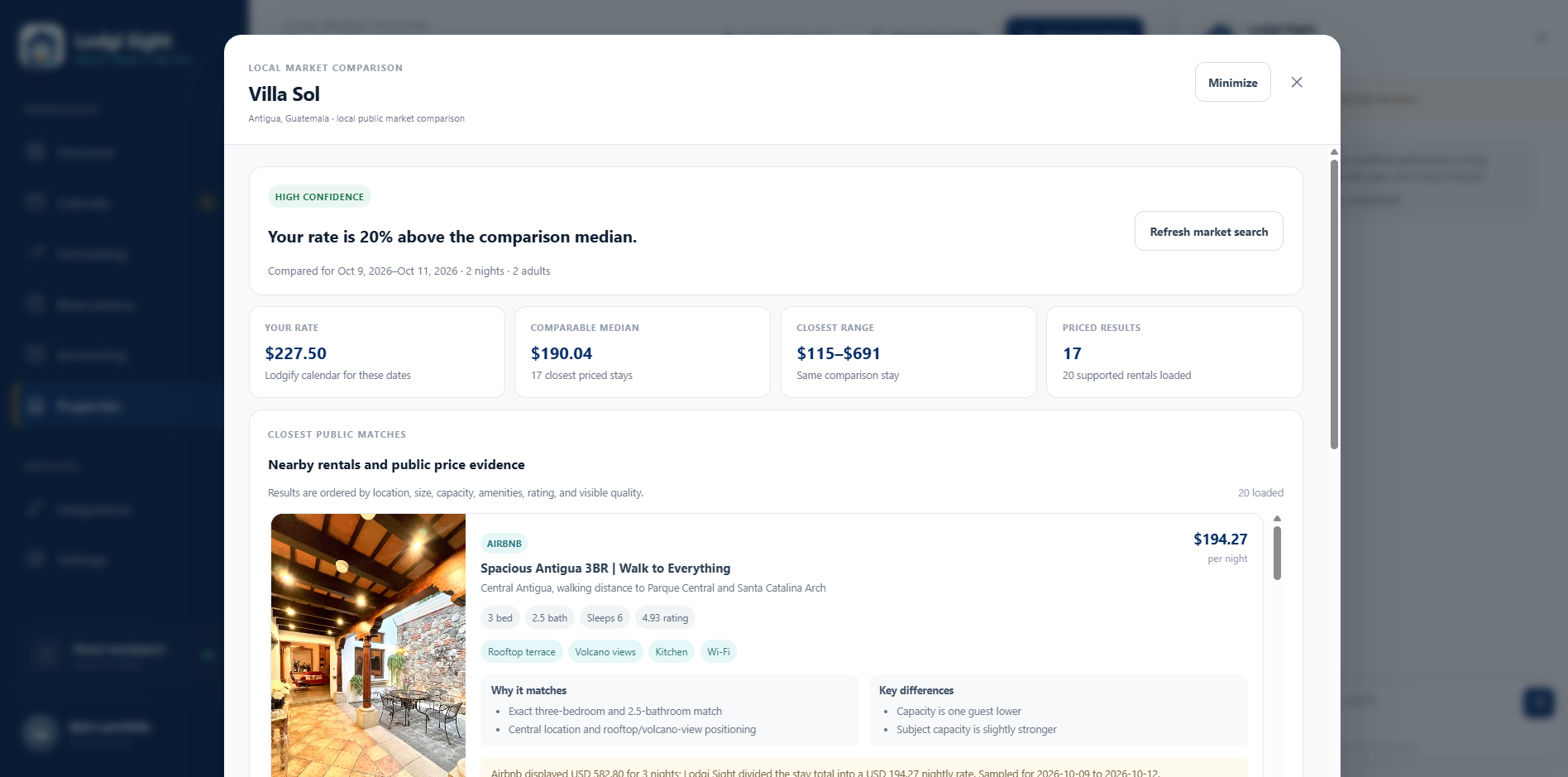
See how Compare local market works with these two example views.
Review your market position
Choose Compare local market on a property to see how its Lodgify rate compares with publicly priced nearby stays. Review the comparison dates, confidence, median nightly rate, price range, and number of priced results to put your own rate in context.
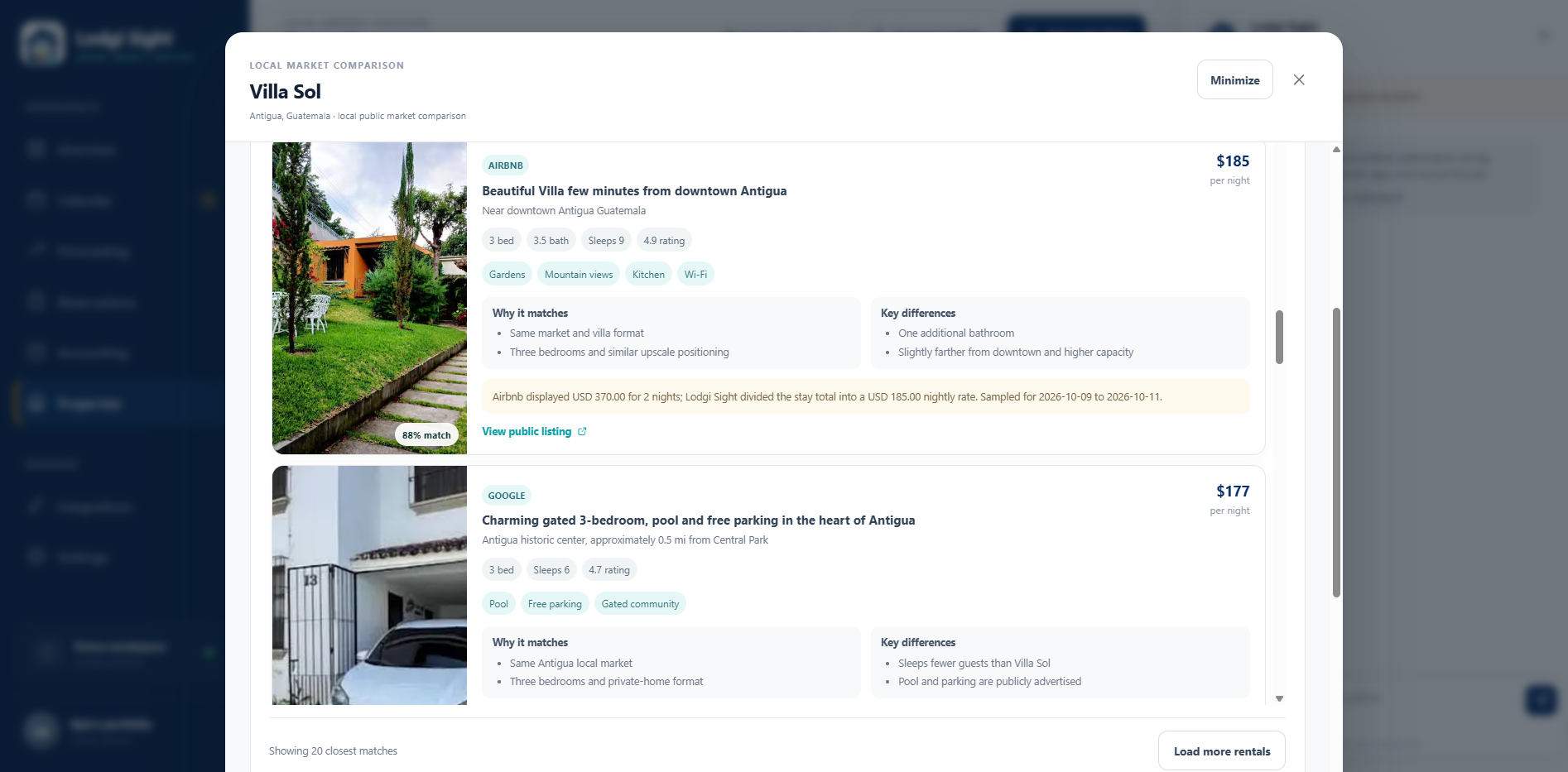
Explore the individual rental matches
Look through nearby rental cards with photos, nightly prices, amenities, guest capacity, and ratings. Why it matches and Key differences explain what each comparison has in common with your property and where it differs. Price notes show the sampled dates and how a nightly rate was calculated, with links to public listings and an option to load more rentals.
CONNECTED SYSTEMS
Integrations
One simple Lodgify connection.
Connect Lodgify using your API key to bring your rental data into Lodgi Sight. Integrations is where you manage that connection and disconnect it when you choose.
- Connect your Lodgify account using its API key.
- Bring in properties, reservations, calendar blocks, and nightly prices.
- Check the connection status or disconnect your account.
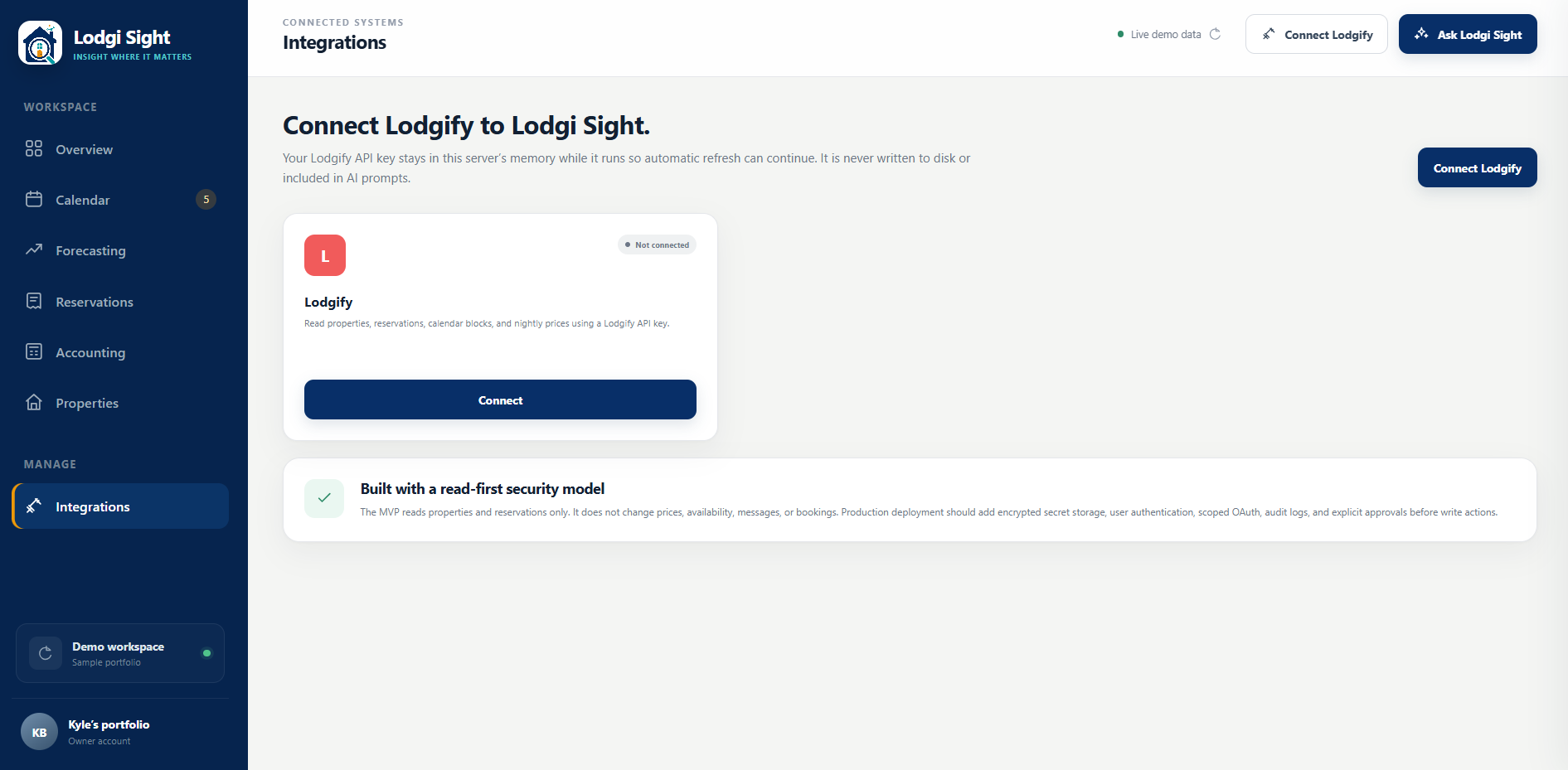
The connection is read-only. Lodgi Sight does not change your rates, availability, or bookings.
INSIGHT WHERE IT MATTERS
Get to know your rentals.
Plan your next move.
Create your Lodgi Sight account.